Issue:
After opening the FedoraMediaWrite Volume, and trying to run the DedoraMediaWriter app, it won't open and if I drag it to Applications the same message persists.
Cause:
The app has not be signed.
Workaround Steps:
(from the point of launch of the DMG)
a. Run the installer to mount and open the disk image:
- FedoraMediaWriter-macos-arm64-5.3.1.dmg --> double-click -->
b. Copy the FedorMediaWriter app (icon) to the Desktop
- In the FedoraMediaWindow folder, drag the FedoraMediaWriter to the desktop.
(required because the mounted volume is read-only)
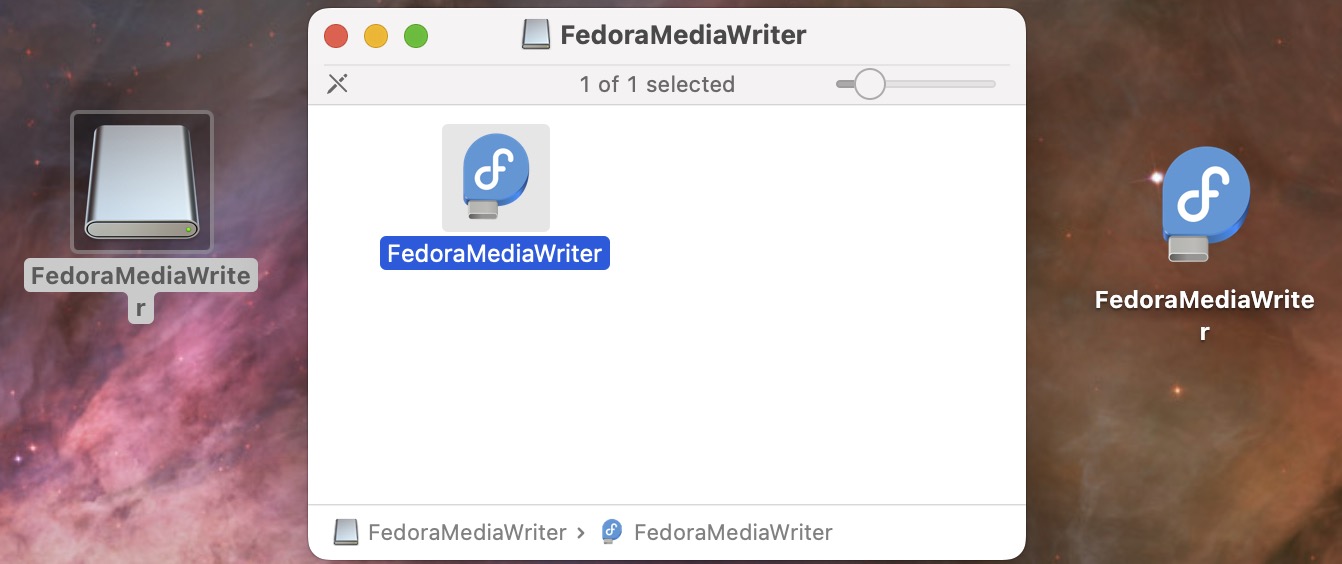
c. Launch terminal for the Desktop copy of the FedoraMediaWriter app:
Right-click Desktop FedoraMediaWrite icon --> choose New Terminal at Folder option
d. In the new Finder window, navigate one folder up and remove the quarantine flag:
-bash-3.2$ pwd
/Users/myid/Desktop/FedoraMediaWriter.app
-bash-3.2$ cd ..
-bash-3.2$ xattr -r -d com.apple.quarantine FedoraMediaWriter.app
<no message/output is expected and okay>
-bash-3.2$ exit
(finder window closes)
e. Drag-and-drop the file to the Applications folder desired.
- Back on the Desktop -> Using Finder, open the personal /Users/myid/Applications or the system Applications folder.
- Drag-and-drop the application to the Applications folder (since the same drive, the icon will disappear as it moves).
At this point the application is usable.
previous page
|